A DashWare alternative for Mac video overlays
Want to add GPS data and gauges to onboard video on your Mac? LapLoupe is a free track log analysis app that syncs your logs and video and exports them with components you choose. Use the desktop app on an Apple Silicon Mac, or the browser version on a computer.
Choose the components and customise the look
Combine speed, G-force, lap time, time delta, course maps, numbers, bars, graphs and images. Drag and resize components, select their data, colours and scales, and add your logo. Save your own layouts and share them with other users.
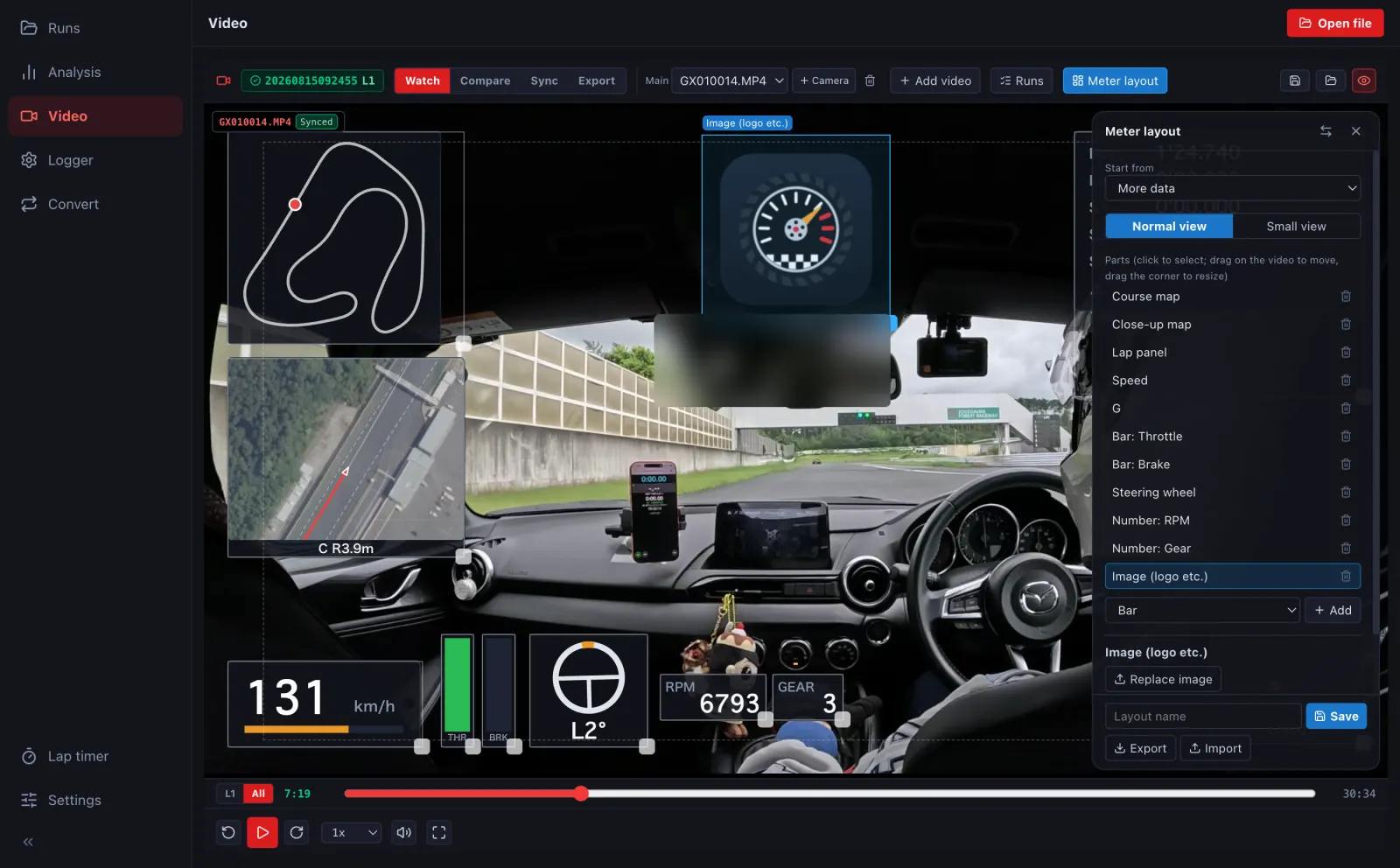
Sync GPS logs and CSV data with onboard video
Load GPX, NMEA, VBO, supported CSV files or GoPro video containing GPS data. Synchronise the video and log from their timestamps, with manual adjustment when needed. Map CSV columns and units to values such as RPM and throttle, or use formulas to calculate values for gauges. Available values depend on what your log contains.
Export a finished video or transparent overlays
- Export a ready-to-watch MP4 with gauges burned in.
- Export gauges only as transparent WebM or a ZIP of PNG frames for your video editor.
- Select a lap, the whole video or a time range, and choose resolution and frame rate.
Try it on your Mac
- Download the desktop app for an Apple Silicon Mac, or open the browser version on a computer.
- Open your track log and video and check their synchronisation.
- Use Meter layout to select and customise your components.
- Choose Export, then select the output method and range.
Logs are processed on your device. Layout editing and video export are done on a computer.
Download for MacTry in your browser