A track analyzer for Mac: GPS lap and telemetry analysis
Looking for a Mac track analyzer for motorsport GPS logs? LapLoupe lets you review lap and sector times, racing lines, speed and G-force, and compare one lap with another. This guide is about circuit driving and track days.
See where you gain or lose time
Overlay speed from up to four cars or laps, compare time delta and racing lines, and review corner entry, minimum and exit speeds and braking. The graphs and course map share the same playback position.
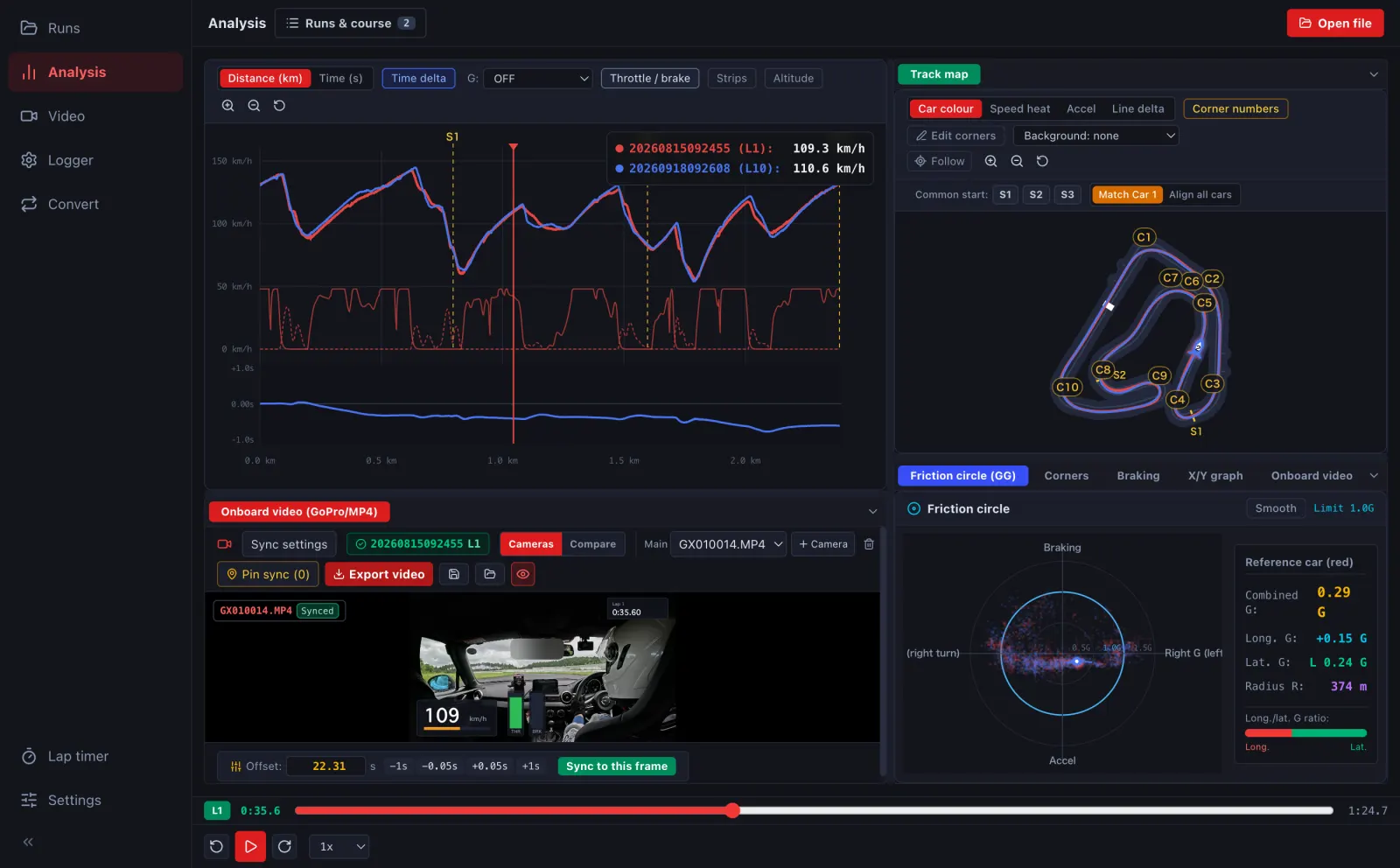
Start with your existing GPS logs
Import GPX, NMEA, VBO, supported CSV, FIT, TCX, DigSpice logs and other supported formats. Available values vary by format and recorded data; the app cannot recover sensor measurements that your log does not contain.
- Open the Mac desktop app or the browser version on a computer.
- Select your track log and check the course and timing line.
- Assign laps for comparison and review their graphs and racing lines.
- If you have onboard video, sync it to the log to review the same moments on camera.
Turn data into video overlays
Choose components such as speed, G-force, lap time and course maps, then customise their layout and colours. On a computer, export MP4 with gauges or transparent overlay assets for a video editor.
Choose how to use it
The desktop app supports Apple Silicon Macs (M1 and later). The browser version analyses logs on a computer without installation. The iPhone / iPad app also records laps using the phone's GPS. Logs are processed on your device, without uploading them to a server for analysis.
Download for MacTry in your browser